Get it out of the group chat.
Weekends away, stag trips, hen trips, birthday trips, golf trips. One place for the plan, the jobs and the money, with a name against every one of them. So nobody asks who's sorting the Airbnb for the fifth time.
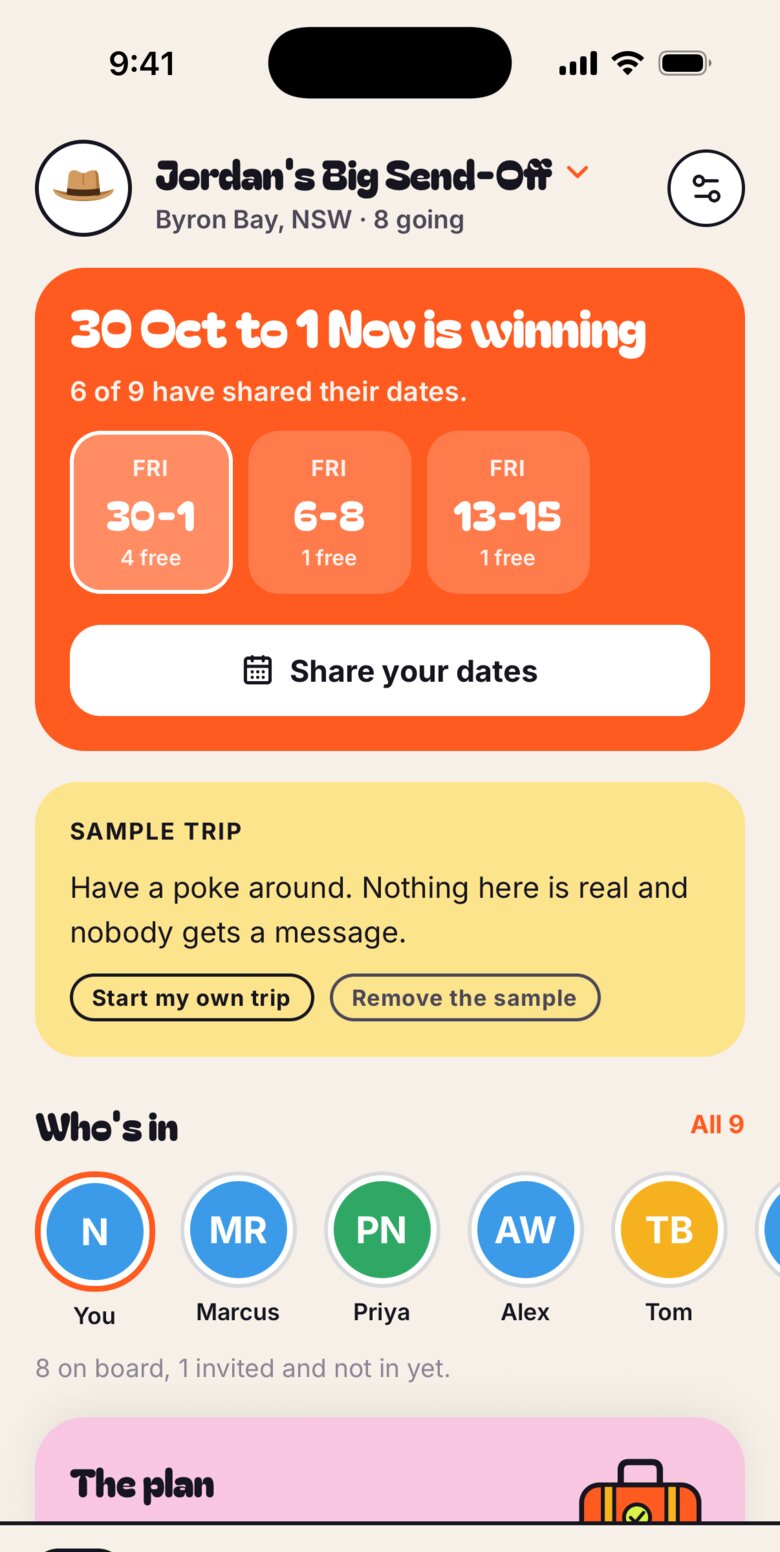
- Weekend away
- Stag trip
- Hen trip
- Birthday trip
- Golf trip
- Another trip
A group chat is where plans go to die.
Messages scroll away. Nobody pins the decision. Half the crew hasn't paid and the organiser is keeping the tally in their head. Envoi turns the loose chat into things with an owner and a status, so the trip actually happens.
From "we should go away" to booked.
- 1
Start a trip
Six quick questions, one at a time: what kind of trip, its name, when, where, why you're going and who you are. Skip any you're not sure of yet.
- 2
Pick the weekend
No date yet? Put up a few candidate weekends, see who's free, then lock the one that works. Reopen it if plans change.
- 3
Make it a thing
Turn any chat message into a task, an idea, a plan or a cost. The message shows a chip that opens the thing, and the thing remembers the message it came from.
- 4
Settle up
Run a kitty or split a cost between whoever was in. Envoi nets it all down to who owes whom, so it's one payment each, not twelve.
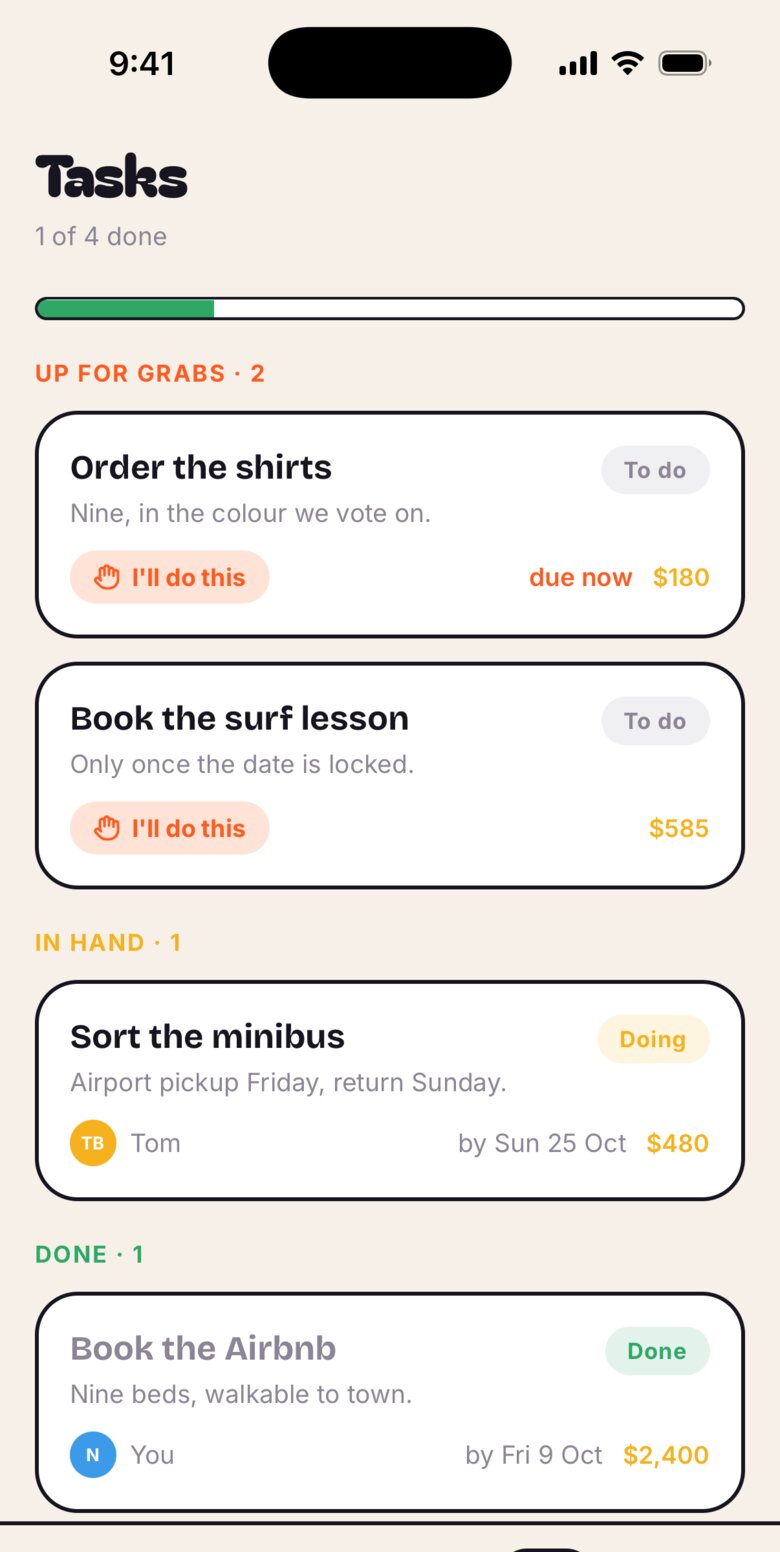
Up for grabs. In hand. Done.
Every job sits in one of three piles. Tap I'll do this and your name goes against it. Each task has its own page and its own little thread, so the chat about the booking stays with the booking.
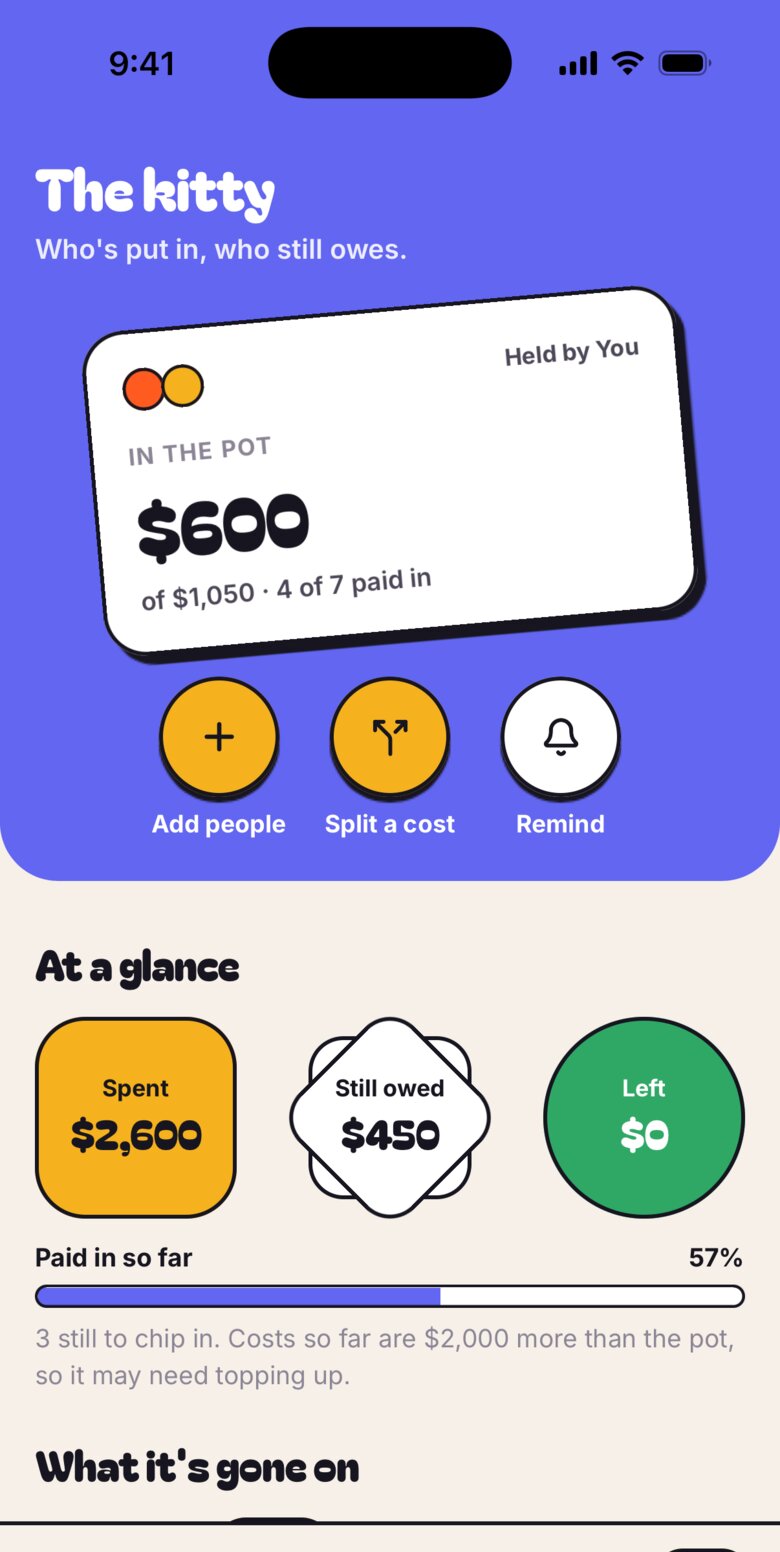
Who's paid, at a glance.
Track what goes in and what comes out, per head. The guest of honour isn't asked to chip in by default, because nobody pays for their own send-off. Envoi tracks the money. It doesn't move it, so you pay each other the way you already do.
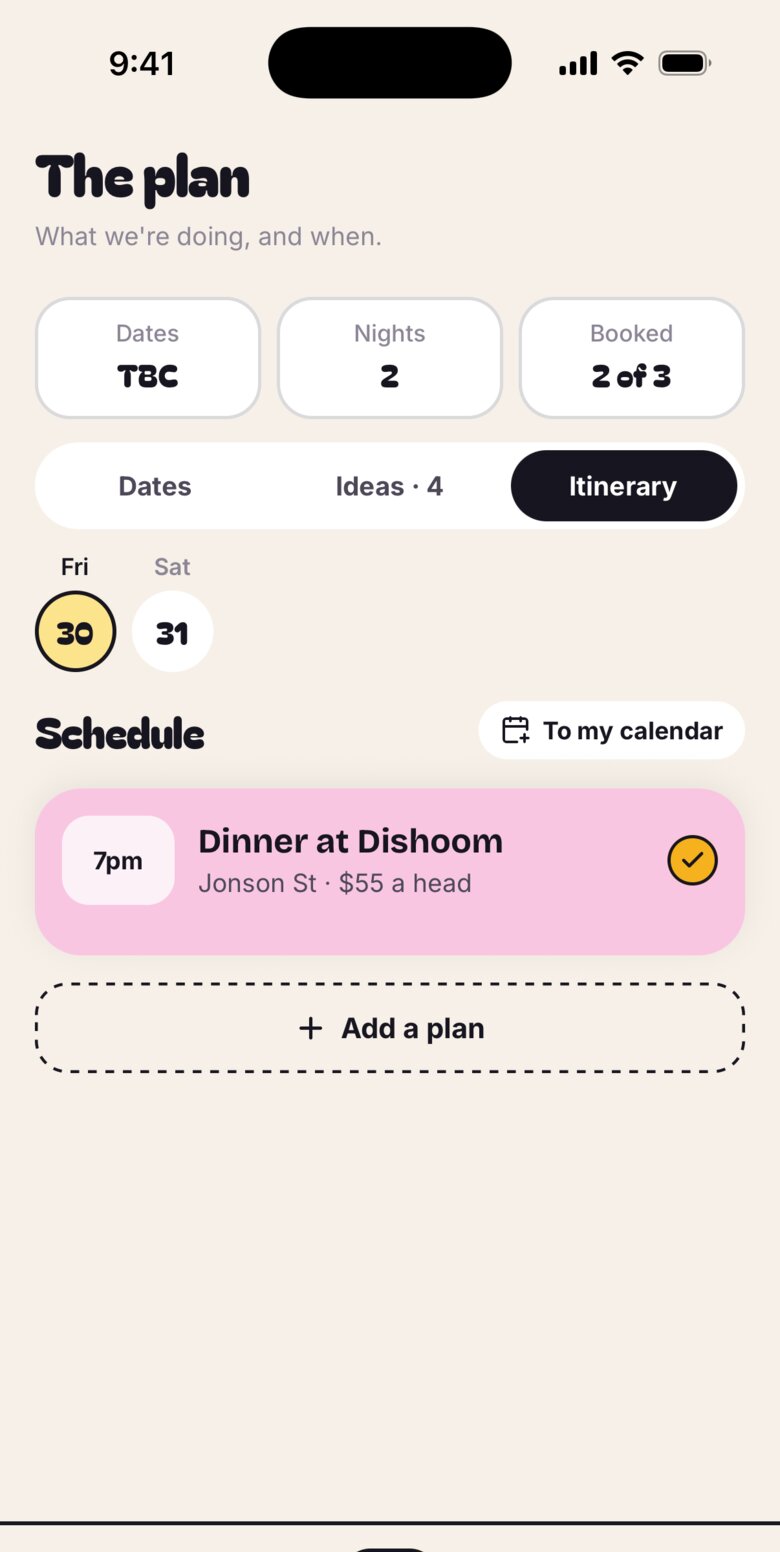
Dates, ideas and the running order.
Pitch ideas and let the crew back the best ones. Lay out the itinerary. Tap Add to my calendar on any plan and your phone's own calendar opens with it filled in, ready for you to save.
Screens are from the Envoi design and the current build. The app is still in the studio, so details will change.
The trip's own page
Why you're going, who's in, the photos, the key events and a countdown. It's the pitch for anyone thinking about coming, and the home screen for everyone who is.
A chat that remembers
React, pin the message that matters, and turn talk into tracked things without leaving the conversation.
Surprise mode
Planning behind someone's back? Switch it on and see exactly what the guest of honour gets: "Something's being planned. Keep these dates free." Nothing else.
Built, and coming next.
Envoi is still in the studio. Here's exactly what works today and what's on the way.
Working in the build
- Start a trip, and plan as many as you like
- Candidate weekends, then lock the date
- Tasks, ideas, plans and costs, each with its own page
- Kitty, splits and who owes whom
- Crew roles, and adding people by name
- Photos, add to calendar and surprise mode preview
Coming next
- Invite links, so the crew can join from their own phones
- One shared chat and plan across everyone's phones
- Nudges that actually send
- Surprise mode kept from the guest of honour on every phone
Until then, a trip lives on the phone that made it, and "Invite the crew" sends the pitch without a link.
Be first to get the crew in.
Envoi is coming to iPhone. Want a heads-up when it lands? Email welcome@myspencer.ai and say "Envoi".